

To see which keys a Valkey® database holds, run valkey-cli --scan from your terminal. It lists every key, or only the keys that match a pattern, and it uses the SCAN command underneath, so it never stalls the server.
Syntax
valkey-cli --scan [--pattern <pattern>] [--count <count>]
--scan: list keys with theSCANcommand.--pattern <pattern>: list only the keys that match, such asbook:*. The*stands for any characters.--count <count>: how many keys Valkey looks at in each step. The default is10.
These come from valkey-cli --help and the valkey-cli documentation.
Prerequisites
- Valkey installed and running, for example with How to Install Valkey on macOS.
- A terminal. The valkey-cli commands are the same on macOS, Ubuntu and Windows (inside WSL).
Step 1: Add a Few Keys
If your database is empty, add five keys with one MSET command, which sets several keys at once:
valkey-cli MSET book:1:title "The Paper Lantern Café" book:2:title "A Map of Quiet Places" book:3:title "The Clockmaker's Garden" book:4:title "Salt and Starlight" cart:42 "book:4"
OK
Step 2: List Every Key
valkey-cli --scan
"book:1:title"
"book:2:title"
"book:3:title"
"book:4:title"
"cart:42"
Each line is one key name.
Step 3: List Only the Keys That Match a Pattern
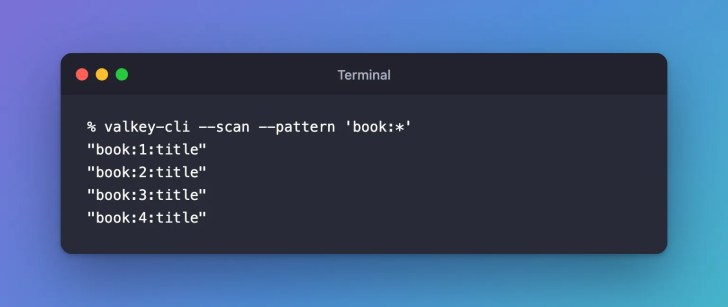
valkey-cli --scan --pattern 'book:*'
"book:1:title"
"book:2:title"
"book:3:title"
"book:4:title"
Keep the pattern in single quotes. Without them, zsh, the Mac’s default shell, tries to match book:* against your files and stops with “no matches found” before valkey-cli runs.

Clean Up
valkey-cli DEL book:1:title book:2:title book:3:title book:4:title cart:42
(integer) 5
Common Mistakes
| Mistake | What happens | Do this instead |
|---|---|---|
Listing keys with KEYS * on a busy server | Valkey answers no one else until it has gone through every key | Use valkey-cli --scan |
| Leaving the pattern without quotes in zsh | zsh stops with no matches found: book:* | Put the pattern in single quotes. More on that zsh error |
FAQ
Why use --scan instead of KEYS *?
KEYS goes through every key in one call, and Valkey’s KEYS documentation says to use it in production only with extreme care. --scan uses SCAN, which looks at a few keys per call, so other clients keep getting answers.
Can a key appear twice in the list?
It can. The SCAN documentation says a key may be returned more than once, so remove duplicates if you count or process the list.
How do I list the keys of another database?
Add -n with the database number, as in valkey-cli -n 1 --scan.
Conclusion
valkey-cli --scan lists every key, and --pattern narrows the list. Both use SCAN, so they’re safe on a busy server.
Related
- Valkey Tutorial — Part 2: Your First Valkey Commands with valkey-cli
- How to Connect to Valkey with valkey-cli
- How to Run a Valkey Command Without Opening valkey-cli
Additional Resources
Valkey® is a registered trademark of LF Projects, LLC. Redis® is a registered trademark of Redis Ltd. Any rights therein are reserved to Redis Ltd. Other names mentioned are trademarks of their respective owners. JD Bots isn’t affiliated with the Valkey project, LF Projects or Redis Ltd., and isn’t endorsed, supported or certified by them.