
Welcome to JD Bots. Create bots with the ability to speak, listen, understand, and learn from your users with Cognitive Services.
We write blogs on any topic related to Computer Science and Information Technology. Mainly, our focus is on Chatbots, Robotic Process Automation, Web Technologies, and Cloud Computing.
If you are someone interested in writing blogs on our website, feel free to contact us and join our community of Authors.
Search this Site
Checkout our beginner friendly pages
- Building AI Agents for Complete Beginners
- Mastering RASA Pro in Python for Absolute Beginners
- Microsoft Bot Framework & Azure Bot Service for Complete Beginners
- AI Series
- Bot Series
- RPA Series
- Web Series
Top Posts
- Auto Updater QnA Maker KB Bot
- Create Azure Resource Manager Bot
- Create Advanced Language Translator Bot
- Create Adaptive Cards
Latest from the Blog
- Fixed: “export: not valid in this context” in zsh
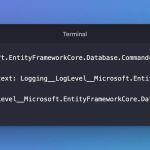 not valid in this context is zsh refusing a variable name with a dot in it. ASP.NET Core log categories are full of dots, so to turn one down through an environment variable, export won’t do. env will.
- Fixed: “zsh: no matches found” for a URL with a ? or a --include=*.cs Option
 curl http://localhost:5190/demo/enum?status=placed and grep -rn ‘class’ src --include=*.cs both failed with zsh: no matches found, and neither program ever ran. Commands like these work in bash, and they appear that way in a lot of tutorials. In zsh, you have to quote them.
- Fixed: “zsh: ===== not found” When a Word Starts with = in zsh
 I printed a line of equals signs in zsh, the default shell on macOS, and got zsh: ===== not found instead. The same thing happens to [ “$a” == 1 ], as zsh: = not found. zsh reads a word that starts with = as the name of a command; quote the word, and the line prints.
- Fixed: Adaptive Cards Designer Changes the Card Version to 1.6
 The Adaptive Cards Designer always writes version 1.6 into the JSON it copies and exports, even after you type 1.5. Teams and Copilot Chat support 1.5, so change the version in your copy.
- Install a Different Python Version in Linux Ubuntu Server
 Learn how to install a different version of Python on a Linux Ubuntu server. This guide covers simple steps to set up and use the version you need.
- Azure AI Foundry SDK – Azure AI Inference with Python Fast API with Streaming
 Learn how to use the Azure AI Foundry SDK for AI inference with Python and FastAPI. Build, deploy, and serve AI models seamlessly using Azure AI services.
- Installing RASA Pro | Setting up your Development Environment
 Learn how to install RASA Pro and set up your development environment. A step-by-step guide to getting started with building AI-powered chatbots.
- Getting Started with Azure AI Foundry in Python | Connect Deepseek, llama, Phi, OpenAI
 Learn how to get started with Azure AI Foundry in Python. Connect Deepseek, Meta Llama, Phi, and OpenAI models seamlessly from Azure AI with this step-by-step guide.
- Creating Azure AI Foundry Project & Hub | Beginner Tutorial on Create AI Agents
 Learn to create an Azure AI Foundry project & hub! A step-by-step beginner tutorial on building AI agents with Azure. No prior experience needed! 🚀
- [Fixed] You are not authorized to access this configuration store data
 You are not authorized to access this configuration store data using Access keys or Microsoft Entra ID. If your access has been granted recently, please wait 15 minutes for the role assignment to propagate and reload the page to refresh your credentials.
- How to Add GitHub HTTPS Credentials and Clone a Repository: A Beginner’s Guide
 Learn how to set up GitHub HTTPS credentials using Personal Access Tokens (PAT) and clone a repository to your local machine for secure and smooth development workflows.
- How to Add GitHub Credentials, Set Git Username, and Clone a Repository: A Step-by-Step Guide
 Learn how to securely add GitHub credentials (HTTPS & SSH), set your Git username and email, and clone a repository to your local machine for smooth development workflows.
- How to Fix the “no acceptable C compiler found in $PATH” Error in Linux Ubuntu VM
 Fix the “no acceptable C compiler found in $PATH” error in Ubuntu by installing the required tools and configuring your system properly with this step-by-step guide.
- Easily Upgrade Node.js to the Latest LTS Version on macOS Without Brew
 Learn how to upgrade any version of Node.js to the latest LTS release on macOS without using Homebrew or other tools. Follow these simple terminal commands for a smooth update.
- Generate Microsoft Bot Framework Directline Token using Postman | Detailed Guide
 Learn to generate a Directline token using Postman with this detailed guide. Step-by-step instructions to authenticate and connect to your Microsoft Bot Framework bot.
- Converting Strings to JSON Objects in Dart: Quick Guide
 Learn how to convert JSON strings to Dart objects and arrays using the `dart:convert` library. This guide includes clear examples and error handling techniques.
- Converting Strings to JSON Objects in ScalaLearn how to convert JSON strings to JSON objects and arrays in Scala using the Play JSON library. This guide includes setup, examples, and error handling techniques.
- Converting Strings to JSON Objects in PerlLearn how to convert JSON strings to Perl data structures using the JSON module. This guide covers JSON objects and arrays with clear examples and step-by-step instructions.
- Create a New Firebase Project | Step-by-Step Detailed Guide
 Learn how to create a new Firebase project with this step-by-step guide. Perfect for beginners and those looking to set up Firebase for their app.
- Register Azure Entra ID App in Portal for Delegated User Auth | Microsoft Graph Tutorial
 Learn how to register an Azure Entra ID app for delegated user authentication using Microsoft Graph API. Follow our step-by-step guide for a seamless setup process.
- Converting Strings to JSON Objects in TypeScriptLearn how to convert strings to JSON objects in TypeScript with clear examples for JSON objects and arrays. Master error handling and practical usage in this comprehensive guide.


You must be logged in to post a comment.