 Skip to main content


Before you follow a guide or plan an upgrade, check which Valkey® version you have. There are three ways, and the third asks the running server itself.
Syntax
valkey-server --version
valkey-cli --version
INFO server
valkey-server --version: the version of the server program installed on this computer.valkey-cli --version: the version of the valkey-cli program.INFO server: a command you send to a running server. Its reply includes the server’s version.
From the valkey-cli (opens in a new tab) and INFO (opens in a new tab) documentation.
Prerequisites
- Valkey running on your computer, for Step 3.
The commands are the same on macOS, Ubuntu and Windows (inside WSL).
Step 1: Check the Server Program
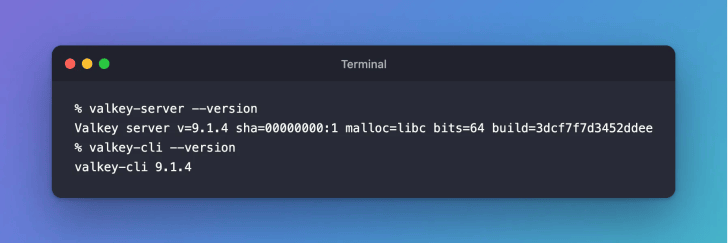
valkey-server --version
Valkey server v=9.1.4 sha=00000000:1 malloc=libc bits=64 build=3dcf7f7d3452ddee
v=9.1.4 is the version. The rest of the line describes how this copy was built.
Step 2: Check valkey-cli
valkey-cli --version
valkey-cli 9.1.4
valkey-cli is installed together with the server, so the two versions usually match.
Step 3: Ask the Running Server with INFO
valkey-cli INFO server
# Server
redis_version:7.2.4
server_name:valkey
valkey_version:9.1.4
valkey_release_stage:ga
These are the first lines of a longer reply:
valkey_version: the version of the running server.valkey_release_stage:gameans a stable release; release candidates showrc1,rc2and so on.redis_version: the Redis® OSS version this Valkey is compatible with, not the Valkey version.
Common Mistakes
| Mistake | What happens | Do this instead |
|---|---|---|
Reading redis_version as the Valkey version | You think you have Valkey 7.2 | Read valkey_version |
Checking valkey-server --version on your computer when your app uses another server | The versions can differ | Run INFO server against the server your app uses |
FAQ
Which is the newest Valkey version?
Valkey lists its releases, and how long each one is supported, on its releases page (opens in a new tab).
Can I check the version of a Valkey on another computer?
Yes. Connect to it with valkey-cli’s -h and -p options and run INFO server.
Conclusion
valkey-server --version and valkey-cli --version show what’s installed, and INFO server shows what’s running. Read valkey_version, not redis_version.
Related
- Valkey Tutorial — Part 2: Your First Valkey Commands with valkey-cli
- How to Install Valkey on macOS
- How to Connect to Valkey with valkey-cli
Additional Resources
- INFO (opens in a new tab)
- valkey-cli documentation (opens in a new tab)
- Valkey releases (opens in a new tab)
Valkey® is a registered trademark of LF Projects, LLC. Redis® is a registered trademark of Redis Ltd. Any rights therein are reserved to Redis Ltd. Other names mentioned are trademarks of their respective owners. JD Bots isn’t affiliated with the Valkey project, LF Projects or Redis Ltd., and isn’t endorsed, supported or certified by them.


0 comments