 Skip to main content


If npm run dev in a TanStack Start app with Netlify’s plugin stops with “Could not establish a connection to the Netlify Edge Functions local development server”, the plugin couldn’t start the Deno process that imitates Netlify Edge Functions on your computer. Here’s the error, the check that showed why, and the one setting that fixes it.
What I Was Doing
I was running a new TanStack Start app, made with the TanStack CLI’s Netlify option, while writing TanStack Start Tutorial — Part 2. I started the dev server and opened the app in the browser:
npm run dev
What I Expected
The dev server to keep running until I stopped it.
What I Got
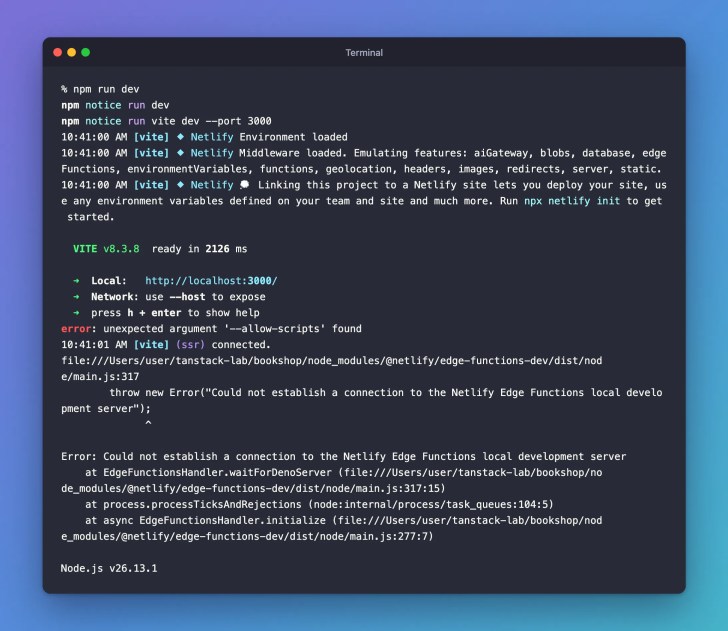
The page loaded once. Right after, the terminal showed this, and the dev server exited:
npm notice run dev
npm notice run vite dev --port 3000
10:41:00 AM [vite] ⬥ Netlify Environment loaded
10:41:00 AM [vite] ⬥ Netlify Middleware loaded. Emulating features: aiGateway, blobs, database, edgeFunctions, environmentVariables, functions, geolocation, headers, images, redirects, server, static.
10:41:00 AM [vite] ⬥ Netlify 💭 Linking this project to a Netlify site lets you deploy your site, use any environment variables defined on your team and site and much more. Run npx netlify init to get started.

  VITE v8.3.8  ready in 2126 ms

  ➜  Local:   http://localhost:3000/
  ➜  Network: use --host to expose
  ➜  press h + enter to show help
error: unexpected argument '--allow-scripts' found
10:41:01 AM [vite] (ssr) connected.
file:///Users/user/tanstack-lab/bookshop/node_modules/@netlify/edge-functions-dev/dist/node/main.js:317
        throw new Error("Could not establish a connection to the Netlify Edge Functions local development server");
              ^

Error: Could not establish a connection to the Netlify Edge Functions local development server
    at EdgeFunctionsHandler.waitForDenoServer (file:///Users/user/tanstack-lab/bookshop/node_modules/@netlify/edge-functions-dev/dist/node/main.js:317:15)
    at process.processTicksAndRejections (node:internal/process/task_queues:104:5)
    at async EdgeFunctionsHandler.initialize (file:///Users/user/tanstack-lab/bookshop/node_modules/@netlify/edge-functions-dev/dist/node/main.js:277:7)

Node.js v26.13.1
What I Checked
Netlify runs edge functions in a runtime based on Deno, a JavaScript runtime like Node.js (Netlify docs (opens in a new tab)). The plugin downloads Deno for you and starts it to imitate edge functions. Its package, @netlify/edge-functions-dev 2.0.8, the newest, starts Deno’s eval command with these options:
const denoFlags = ["--allow-scripts", "--quiet", "--no-lock"];
Running the Deno it downloaded, 2.9.8, with the same options prints the same first error:
~/Library/Preferences/netlify/deno-cli/deno eval --allow-scripts --quiet --no-lock "console.log(1)"
error: unexpected argument '--allow-scripts' found
Deno’s documentation lists --allow-scripts for deno run (opens in a new tab) but not for deno eval (opens in a new tab).
Why It Happens
Deno refuses the option and never starts. The plugin waits for it to answer, gives up, and throws the error, which stops the whole dev server.
The Fix
If your app has no edge functions, turn off the plugin’s Edge Functions emulation. A new TanStack Start app has none. This option comes from the plugin’s documentation (opens in a new tab). In vite.config.ts, change netlify() to:
netlify({ dev: { edgeFunctions: { enabled: false } } }),
The complete file:
import netlify from "@netlify/vite-plugin-tanstack-start";
import tailwindcss from "@tailwindcss/vite";
import { devtools } from "@tanstack/devtools-vite";
import { tanstackStart } from "@tanstack/react-start/plugin/vite";
import viteReact from "@vitejs/plugin-react";
import { defineConfig } from "vite";

const config = defineConfig({
	resolve: { tsconfigPaths: true },
	plugins: [
		devtools(),
		netlify({ dev: { edgeFunctions: { enabled: false } } }),
		tailwindcss(),
		tanstackStart(),
		viteReact(),
	],
});

export default config;
After the Fix
Start the dev server again:
npm run dev
npm notice run dev
npm notice run vite dev --port 3000
10:41:47 AM [vite] ⬥ Netlify Environment loaded
10:41:47 AM [vite] ⬥ Netlify Middleware loaded. Emulating features: aiGateway, blobs, database, environmentVariables, functions, geolocation, headers, images, redirects, server, static.
10:41:47 AM [vite] ⬥ Netlify 💭 Linking this project to a Netlify site lets you deploy your site, use any environment variables defined on your team and site and much more. Run npx netlify init to get started.

  VITE v8.3.8  ready in 1943 ms

  ➜  Local:   http://localhost:3000/
  ➜  Network: use --host to expose
  ➜  press h + enter to show help
10:41:47 AM [vite] (ssr) connected.

edgeFunctions is gone from the list of emulated features, and the dev server keeps running while you browse the app.
Common Mistakes
| Mistake | What happens | Do this instead |
|---|---|---|
Putting edgeFunctions outside dev | The setting doesn’t apply to the dev server | Nest it as { dev: { edgeFunctions: { enabled: false } } } |
| Turning off the whole Netlify plugin | You lose the rest of Netlify’s emulation and its build output | Turn off only Edge Functions |
Troubleshooting
| Problem | Fix |
|---|---|
| The error still appears | Check that you saved vite.config.ts, then stop the dev server with Ctrl+C and start it again. |
The terminal shows a warning about a notFoundComponent | Harmless: the browser asked for a site icon the app doesn’t have yet. |
FAQ
Does this change the site on Netlify? No. The setting is under dev, so it changes only the dev server on your computer.
What if my app uses edge functions? Then this setting would stop them running on your computer, so it isn’t the right fix for that app.
Conclusion
The Netlify plugin starts Deno with an option that Deno 2.9.8’s eval command doesn’t accept, so its Edge Functions emulation never starts and the dev server stops. In an app without edge functions, turning that emulation off in vite.config.ts keeps the dev server running.
Additional Resources
- Netlify’s TanStack Start plugin (opens in a new tab), its configuration options
- Netlify Edge Functions overview (opens in a new tab)
- deno eval (opens in a new tab) in the Deno documentation
Related
- TanStack Start Tutorial — Part 2: Create Your First TanStack Start App, which adds this setting in Step 4
- TanStack Start Tutorial for Beginners, every part of the series
TanStack, Netlify, React and other names mentioned are trademarks of their respective owners. JD Bots isn’t affiliated with or endorsed by TanStack or Netlify.


0 comments